

Need a Twitter video as an MP4? Learn why downloads use MP4 and how to save one clip or batch download videos from a public profile.

Searching for a way to turn a Twitter video to MP4 can sound like a conversion job. In most cases, Twitter has already done the format work. Public video is typically exposed in MP4 variants, so your job is to find the right post or profile and save the available file.
This guide covers the essentials you need to know to convert Twitter videos to MP4 format. For a wider overview, see the complete Twitter media downloader guide.
Want to experience the feeling of batch downloading Twitter videos?
MP4 balances compatibility, file size, and picture quality. A saved Twitter MP4 normally opens in a browser, a phone's video app, VLC, QuickTime, Windows Media Player, and common editors without another conversion step. It is easy to preview, trim, organize, and move between devices.
MP4 also stores compressed video more efficiently than a frame-by-frame GIF while supporting smoother motion and audio. For archiving public clips or building a reference folder, it is usually the useful final format.
Twitter supports common formats such as MP4 and MOV in supported upload workflows. It processes the source for its player and may prepare public variants at different bitrates or resolutions. A downloader therefore does not always receive the untouched original upload.
For supported public video, Twitter typically exposes downloadable MP4 variants. That can happen even when the creator uploaded a MOV file. Here, convert Twitter video to MP4 often means resolving and saving an MP4 that Twitter already prepared, rather than re-encoding the video on your computer.
Yes. You can use the public tools on TwitterView to save supported public video as MP4 without paid desktop conversion software. The available quality still depends on the original upload and the variants Twitter exposes for that post.
Normal limits still apply. Protected accounts, private posts, deleted videos, regionally unavailable media, and broken links are outside a public download flow. Downloading also does not transfer copyright, so check that you have permission before reusing or republishing a clip.
When you already have one public tweet URL, open Tweet Downloader, paste the link, check the preview, and save the available MP4. It is quick for one clip but repetitive across many posts.
Extensions can add a download control near Twitter. They may request broad permissions, can break when the page changes, and usually focus on the post currently open rather than a full profile collection.
Screen recording captures the display instead of the public media file. It may include interface elements, notifications, uneven audio, or a lower frame rate, so it is a poor substitute for a clean MP4 download.
When several videos come from one public account, Twitter Profile Viewer is the better fit. It loads the public profile and media, lets you filter to videos, and supports selecting multiple items before one batch download. This is especially useful for collectors, researchers, creators, and anyone building a reference folder.
Open Twitter Profile Viewer. Choose this route when the account, rather than one tweet, is the source of your collection.
Paste the public profile link or type the username. Confirm that the correct account and available posts have loaded before selecting media.
Open the media results and choose the video filter. Removing unrelated images makes clips easier to compare and helps you spot near-duplicates.
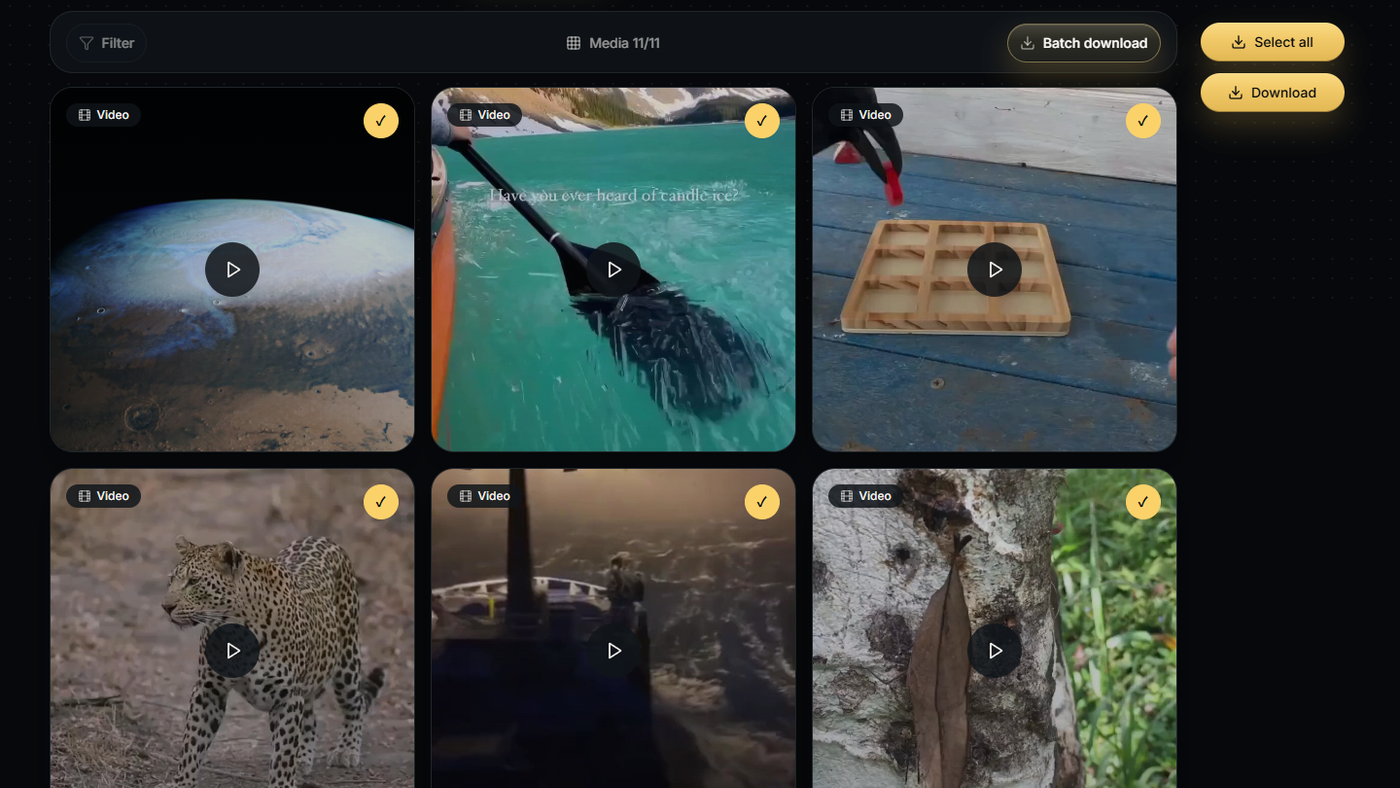
Choose the videos you want, then run Batch download. TwitterView packages the selection into a ZIP. After extraction, supported videos keep the appropriate .mp4 extension and can be sorted by account, topic, or project.
A downloader can select the strongest public MP4 variant it can resolve, but it cannot create detail that was never uploaded. The guide to saving the highest available Twitter video quality explains why resolution varies. For more detail on account-level collection, read the guide to downloading Twitter videos in bulk from public profiles.
Preview the selection before downloading, especially when a post contains several media items. A desktop browser is usually easier for large batches because it gives you more room to compare thumbnails and manage the ZIP.
A Twitter to MP4 workflow rarely needs a separate conversion stage. Use Tweet Downloader for one known post. When one public profile contains several useful clips, filter its media, select the videos, and download the batch once.
Need to download Twitter images in bulk? This guide shows how to batch save images from a public profile with filtering and ZIP download.

Need to save a Twitter video on iPhone? Compare the main options, then follow TwitterView's single-video or batch-download workflow.
Need to save a Twitter video on iPhone? Compare the main options, then follow TwitterView's single-video or batch-download workflow.



© 2026 TwitterView. All rights reserved.
